How to Advertise on Facebook – Step by Step Guide
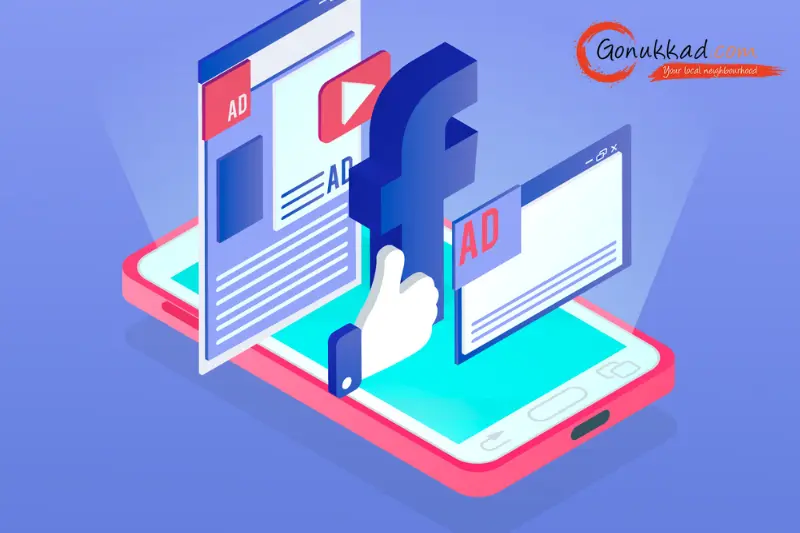
If you've been wondering how to advertise on Facebook without wasting half your budget on ads that don't convert, stick around.
I'll walk you through exactly how to make a Facebook ad, how much does it cost to advertise on Facebook and which ad types make sense for different goals.
When you advertise on Facebook, you get access to 2.89 billion people who use Facebook, you can create a specific targeting, and enhance your organic reach; it’s a must-do to grow your business.
What's more, Facebook advertising doesn't need to be difficult. Gonukkad is here to help with its Google or Meta Ads services to make sure your ads get maximum traffic and conversion.
What are Facebook Ads?
Facebook ads are regular posts on Facebook or Instagram, but you pay to ensure that your targeted audience sees them—people who would genuinely be interested in your products or services.
With a Facebook Ads manager, businesses can create, manage, and analyze ad campaigns on Facebook, Instagram, and many other platforms.
Facebook isn't as "cool" as it was in 2010, but it's still one of the few places where you can tap into precise targeting.
When you advertise on Facebook, you target your ads to three audience types:
- Saved audiences: You can target a specific audience's interests, behaviours, location, and income levels, among other criteria.
- Custom audiences: You can target people who are already familiar with your business.
- Lookalike audiences: A lookalike audience involves creating custom audiences that act as your source audience.
When you put up a paid ad on Facebook, you can target a particular demographic. Plus, you can get as broad or as specific as you want.
Types of Facebook ads
Advertising will never be boring with Facebook because it gives you the flexibility to design your ads using various objectives, formats, and placements.
Let's take a look at the different types of ads you can run on the site.
Image ads: Single photo with headline, text, and CTA, great for simple promos or brand hits.
Video ads: Facebook video ads let you showcase your brand or product and engage viewers. Make sure to add a clear call to action, like visiting a website or making a purchase.
Carousel ads: Multiple cards to showcase features, steps, or a product range, especially strong for ecommerce and service packages.
Collection + Instant Experience: Mobile‑first storefront that opens a full‑screen experience after tapping, ideal for catalogues and frictionless browsing.
Lead ads: In‑Facebook forms to capture leads without leaving the app, reduce drop‑off vs. external forms.
Dynamic ads: Auto-personalised product ads from your catalog for retargeting and up‑selling, requires pixel and catalog setup.
If you want to advertise on Facebook efficiently, pick the ad format that matches the objective and your creative bandwidth. Don't force a format that doesn't fit the funnel stage.
How Much Does It Cost to Advertise on Facebook
Most of you must be wondering how much does it cost to advertise on Facebook. The Facebook ad's run cost may vary depending on objective, goals, and format.
According to research, you have to consider the following factors to determine your ad campaign costs:
- Timing: The hour, day, and month can affect your ad cost.
- Ad placement: Higher competition spots are more expensive.
- Target audience: Higher competition audiences are more expensive.
- Bidding strategy: Whether you select the lowest cost or a specific bid range.
- Ad relevance: Lower ad engagement ranking, quality ranking, or conversion ranking can raise costs.
Still, to give you an idea, the average Facebook ads CPC (Cost-per-click) is between $0.5 and $3.5.
Facebook ad costs fluctuate significantly, meaning there is no definitive answer; it all depends on how do you advertise on Facebook.
How to Run Facebook Ads
If you're stuck on how do I advertise on Facebook, then you're in the right place. Here's a step-by-step process of how to run Facebook ads.
Set up Ads Manager
Start by accessing your Facebook Business Page, then navigate to Ads Manager. From there, add your payment information and confirm your business details.
Choose the Right Campaign Objective
- To drive purchases or generate leads, focus on sales and conversions.
- If you're preparing your pixel, prioritise traffic.
- For raising awareness at the top of the funnel, aim for engagement and views.
Name the Campaign
Ensure that names are clear and easy to read, and set up A/B testing to evaluate different variables later.
Budget and Schedule
A daily budget for ongoing campaigns or a lifetime budget with specific start and end dates. Meta automatically manages the spending pace.
Targeting
- Consider factors such as location, age, gender, interests, and behaviours.
- Use Lookalike Audiences derived from your buyers and exclude past purchasers when prospecting.
- Start with a broader target to give the algorithm sufficient room, then refine based on the results.
Placements
Advantage+ Placements (automatic) is typically an excellent choice for most advertisers.
Manual placements are recommended when you have creative content specific to certain formats, such as Stories.
Bidding and Optimisation
Let Meta optimize for the selected event (e.g., purchases or leads); only move to manual bid strategies once volumes and data are stable.
Creative setup
Pick format (image, video, carousel, collection); write a clear hook in the first two lines; strong CTA; mobile‑first visuals; add UTMs for analytics.
Ensure the landing page matches the promise in the ad and loads fast.
Publish and Monitor
Monitor initial indicators such as CTR, CPC, CPM, add-to-cart/lead rates, and conversion events.
Be cautious about pausing your campaigns too soon, unless there are clear issues with delivery.
How GoNukkad helps run Facebook ads
Strategy to execution: We translate business goals into the right objectives, audiences, bids, and creative plan, then build campaigns that can scale.
Lead and sales systems: From Facebook Lead Ads to high‑intent conversion flows, we reduce friction and improve downstream quality with better forms, offers, and follow‑ups.
Creative that converts:Thumb‑stopping assets for feed, Stories, and Reels, mapped to funnel stage and tested iteratively.
Continuous optimization: Weekly learnings, budget shifts, audience expansion, and creative refresh cycles to protect ROAS as auctions change.
Local business promotion: Hyper‑local targeting, call‑driven CTAs, and store‑visit strategies to turn nearby attention into real‑world customers.
Q. What type of ad should I use for my online store?
A. Carousel and Collection ads work wonders for products, especially when paired with dynamic retargeting.
Q. How to make a Facebook ad that converts?
A. Match message to intent, use strong visuals, clear benefit-driven copy, a compelling offer, and a direct CTA, with landing pages aligned to the ad promise.
Q. Can Gonukkad help me run ads?
A. Yes, Gonukkad's Meta ads services handle strategy, setup, creatives, and optimization for sustained performance.
Q. Is boosting a post the same as running an ad?
A. Not really, boosting is "easy mode," but Ads Manager gives more control and better results.