 ChatGPT
 Perplexity
 Claude
 Google AI
 Grok
Grok
Summarize this article with an AI assistant.
How to Use Flipkart Seller Analytics Dashboard in 2026
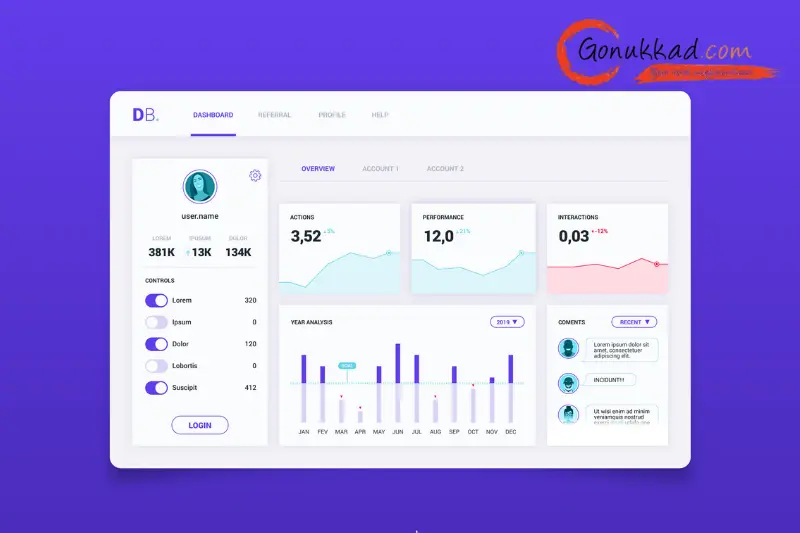
Using the Flipkart Seller Analytics Dashboard properly can literally change how you make decisions about pricing, ads, and stock, because it shows real numbers on your sales and profits. When you understand the Flipkart Seller Analytics Dashboard. It becomes your daily control room for tracking Flipkart sales analytics, payments, growth, and overall Flipkart seller metrics.
In this blog, the focus is on how an Indian seller can use the Flipkart Seller Analytics Dashboard step by step, what key reports to check, and how experts like Gonukkad can help you connect this data with stronger listings and better profit.
What Is The Flipkart Seller Analytics Dashboard - Make smarter selling decisions with Flipkart’s 2026 dashboard and level up using Flipkart Seller Central: How To Manage Your Account Like A Pro.
Key Takeaways
- The Flipkart Seller Analytics Dashboard shows your sales, orders, returns, and ratings in one place, so you see what is really happening in your shop.
- You can use these free Flipkart seller tools directly in the dashboard to track top products, slow movers, and ad performance daily.
- Flipkart sales analytics helps you understand which products give more profit, not just more orders.
- The Flipkart Seller Performance Dashboard shows ratings, cancellations, and late dispatch.
- If all this data feels too technical, a partner like Gonukkad can read these Flipkart data insights for sellers and turn them into clear actions.
What Is The Flipkart Seller Analytics Dashboard
The Flipkart Seller Analytics Dashboard is part of Flipkart Seller Hub, where you can see your business performance in charts, numbers, and reports. Think of it as your combination of sales report, profit tracker, and Flipkart Seller Performance Dashboard, all rolled into one simple interface.
From this single dashboard, you can:
- Track daily, weekly, and monthly sales and units sold.
- See which SKUs are growing or dropping.
- Check payment settlements and charges that impact your net profit.
For anyone serious about Flipkart seller metrics tracking, logging into the Flipkart Seller Analytics Dashboard at least once a day should become a habit.
How Does the Flipkart Seller Analytics Dashboard Help with Sales, Payments & Growth
Different sources name the sections slightly differently, but broadly, the Flipkart Seller Analytics Dashboard includes Home/Overview, Orders, Listings, Payments, and Growth/Business Insights.
- Home & Overview: Gives you quick Flipkart sales analytics like total sales, pending orders, and rating, so you instantly know if the business is going up or down.
- Payments: Shows settlements, charges, commissions, and GST, helping you figure out real profit, not just top-line sales.
- Growth & Insights: It is where Flipkart's seller data insights live, trends, opportunities, promotion results, and sometimes category suggestions.
By slowly getting comfortable with these sections, you turn the Flipkart Seller Analytics Dashboard into a daily decision partner instead of a confusing screen.
Using Sales Analytics To Track Orders And Profit
Flipkart sales analytics in the dashboard shows how many units you sold, the revenue they generated, and how this compares to previous periods. You can select a date range (for example, the last 7 days, the last 30 days, or the festive sale period) and see graphs for orders, gross sales, and, sometimes, the impact of cancellations and returns.
To make it practical:
- Check which 10 products gave you maximum revenue last month.
- Check which products had strong orders but low net earnings due to high returns or fee impacts.
It is the key part of Flipkart seller metrics tracking. Over time, you stop pushing products that look good on the surface but silently kill your margins.
Product-Level Insights: Finding Winners And Weak SKUs
Inside the Flipkart Seller Analytics Dashboard and Seller Hub, you can go deeper into product-wise performance and get Flipkart data insights for sellers at the SKU level. Here you see:
- Active vs inactive vs blocked listings.
- Units sold, returns, and cancellations product-wise.
- Impact of promotions or ads on each listing.
- Use these Flipkart data insights for sellers to take simple actions:
- Increase stock and ad budgets on proven winners.
- Fix titles, images, or prices on slow movers.
- Remove or redesign products that consistently receive returns or negative reviews.
Free Flipkart Seller Tools Inside The Dashboard
You do not always need external paid tools, as several free Flipkart seller tools are already available in Seller Hub. For example:
- Inventory and listing tools that show low-stock alerts, blocked listings, and readiness for activation, helping you avoid stock-outs and missed orders.
- Growth and promotions sections where you see suggestions for offers, deals, and ad opportunities based on your data.
When you combine these free Flipkart seller tools with your daily routine of checking the Flipkart Seller Analytics Dashboard, you stay ahead without spending extra money on software.
Using Analytics To Improve Listings And Ads
Numbers are useless if you do not change anything. The real power of Flipkart sales analytics lies in using it to improve content and ads.
- If a product gets a lot of sessions but low conversion, your images, title, or price need improvement.
- If returns are high, you may need better descriptions, size charts, or packaging.
- If ads show impressions but not sales, you need to adjust keywords, bids, or product offerings.
It is exactly where a partner like Gonukkad can map Flipkart Seller Analytics Dashboard data to Amazon and other marketplaces, creating a unified growth strategy.
Conclusion
The Flipkart Seller Analytics Dashboard is not just a fancy graph page. It is the simplest way to understand what is really working in your store, which products bring profit, and where you are losing money through returns or cancellations. When you combine this dashboard with consistent tracking of Flipkart seller metrics and smart changes to listings, pricing, and ads, your decisions become sharper, and growth becomes more predictable.
If you want to push this to the next level across marketplaces, Gonukkad’s ecommerce account management can help you with setting up and complete management.
FAQs
Q. Where do I find the Flipkart Seller Analytics Dashboard?
A. You access it after logging in to Seller Hub, which serves as your Flipkart Seller Analytics Dashboard, with key metrics and reports.
Q. Can I track profit or only sales?
A. The dashboard shows payments, fees, and settlements, so with a basic cost idea, you can estimate profit.
Q. Are there free Flipkart seller tools for small sellers?
A. Yes, most tools in Seller Hub are free for Flipkart sellers, including inventory reports, growth suggestions, and the Flipkart Seller Performance Dashboard.
Q. What metrics matter most for performance?
A. Cancellation rate, RTD breach rate, returns, ratings, and response time are key metrics seen in the Flipkart Seller Performance Dashboard and affect your overall ranking and health.
Q. What if I find numbers confusing?
A. In that case, you can share your dashboard data with marketplace experts like Gonukkad and have them convert your Flipkart data insights for sellers into clear action plans for listings, ads, and account management.
Supercharge your Business:
Go from surviving to tdriving!
Amplify sales witd our expert account management. Unleash your true potential now!
Call Us







