ChatGPT
 Perplexity
 Claude
 Google AI
 Grok
Grok
Summarize this article with an AI assistant.
Google Pay Rewards for Merchants: How to Maximize Your Benefits
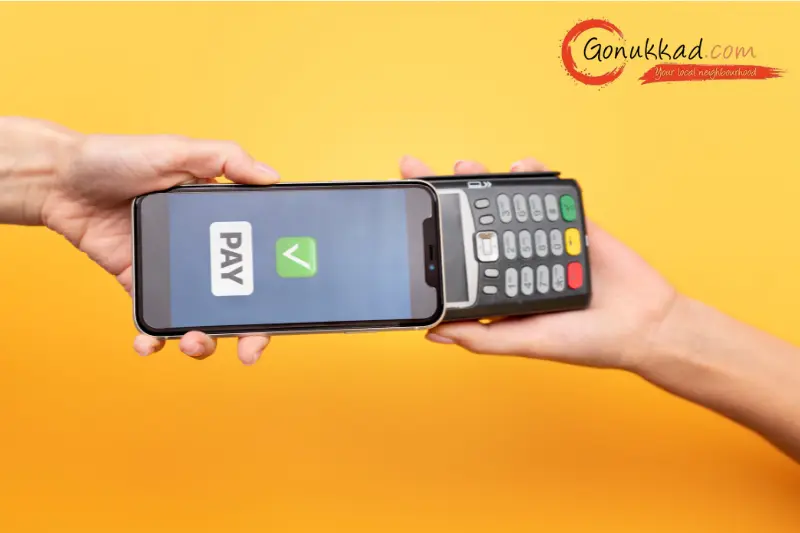
In this blog, we'll go through simple, practical ways to maximize Google Pay rewards for merchants on daily transactions and how to use Google Pay rewards money smartly in a small business. It will also explain why, beyond rewards, your shop still needs Google My Business and local SEO support from Gonukkad so more customers reach you in the first place.
Key Takeaways
- Treat Google Pay rewards for merchants as a bonus system, not your main profit source.
- Learn how to redeem Google Pay rewards and how to use Google Pay rewards money for small business expenses, not just personal use.
- If a Google Pay referral reward is not received, always check the terms, time limits, and transaction type.
- Knowing how to enter a referral code in GPay correctly avoids missing out on easy referral bonuses.
- Google Pay cashback is good, but showing up on Google Maps with local SEO brings long-term customers, which Gonukkad can help with.
How Google Pay Rewards Really Work for Merchants
For Indian merchants, Google Pay rewards for merchants usually come in the form of scratch cards, cashback offers, stamp-based promotions, or special campaigns based on transaction count and value. Rewards can show up for:
- Receiving payments from customers.
- Reaching certain transaction milestones.
- Referrals are like getting new users or merchants to join and transact.
The key is to understand that Google Pay rewards for merchants keep changing based on campaigns, season, and your usage pattern. That’s why it is smart to regularly check the “Rewards” or “Offers” section and read the basic conditions before relying on a particular scheme.
Use Daily Transactions to Trigger More Rewards
Most merchants already receive UPI payments all day, but they don’t align this with the active offers. To get the most from Google Pay rewards for merchants:
- Encourage customers to pay through Google Pay when there is an ongoing cashback or stamp offer.
- Check if there are special rewards for certain bill amounts.
- Use Google Pay for some of your own payments to suppliers or utility bills if the offer allows it.
You are not changing your business model, just aligning your normal cash flow with how to use Google Pay rewards money and offers already running in the app.
Handling the “Google Pay Referral Reward Not Received” Issue
Many merchants complain, “I referred someone, but the Google Pay referral reward was not received.” In most cases, one of these reasons is involved:
- The new user or merchant did not complete the required first transaction type.
- The referral was done after the campaign end date.
- The minimum amount or payment method condition was not met.
Whenever you face a Google Pay referral reward not received, check:
- The terms of the specific referral offer.
- Whether the referred person installed via your referral link or code.
- Whether their first transaction was eligible.
If everything seems correct and still nothing shows, then it might be time to raise a support query through the app with screenshots.
How to Enter a Referral Code in GPay Properly
If the new user doesn’t apply the code properly, you both lose the referral reward. Here is how to enter a referral code in GPay in simple words:
- The new user installs the Google Pay app and signs in with their number.
- During onboarding or in the “Refer & Earn” section, they get an option to “Enter referral code” or join via your link.
- They must enter the exact referral code before doing their first transaction, as per the offer rules.
How to Redeem Google Pay Rewards Step by Step
Many people get scratch cards but are not fully sure how to redeem Google Pay rewards. The process is usually:
- Go to the “Rewards” section in the app.
- Tap on unopened scratch cards and scratch them to reveal the amount or voucher.
- Cashback usually goes directly to your linked bank account automatically.
Some rewards are vouchers or special offers; read the “how to redeem Google Pay rewards” instructions shown with each voucher.
For vouchers, you may need to use them on a partner app or website before expiry. Keeping an eye on expiry dates ensures you actually benefit from what you’ve earned.
How to Use Google Pay Rewards Money Smartly as a Merchant
Once cashback lands in your account, the question is how to use Google Pay rewards money in a way that helps your business. A few practical ideas:
- Use the extra cash to pay small recurring bills like mobile recharge, Wi‑Fi, or electricity.
- Keep a simple note of the monthly rewards total and treat it as a micro‑fund for marketing experiments.
- Use it to purchase small shop essentials: stationery, cleaning items, or packaging material.
By thinking about how to use Google Pay rewards money as a business tool instead of personal pocket money, you make Google Pay rewards for merchants part of your cost-saving plan.
Conclusion
Google Pay makes daily payments easy, and Google Pay rewards for merchants can add a nice extra to your regular income. But rewards are only a small part of growth. Real, long‑term success comes when your shop is visible on Google Maps, gets more local searches, and receives more calls and visits from new customers.
If you want to go beyond cashback and actually increase footfall and inquiries, it is a good time to fix your online presence. Connect with Gonukkad to optimize your Google My Business profile, improve local SEO, and turn local searches into real customers walking into your shop.
Related Post:
1. Google Pay QR Code for Small Businesses: Complete Guide to Setup, Benefits & Usage
2. Merchant Payment Gateway: A Necessity for Businesses
FAQs
Q. Do Google Pay rewards for merchants work on every transaction?
A. No, rewards usually depend on specific campaigns, minimum amounts, and limits per user.
Q. What should I do if the Google Pay referral reward is not received even after my friend paid?
A. First, check that they used your referral code or link correctly and followed all terms.
Q. How to redeem Google Pay rewards if I get a voucher instead of cashback?
A. Open the voucher in the Rewards section and read the steps given there.
Q. How to use Google Pay rewards money for my business?
A. Once cashback reaches your bank account, treat it like regular money.
Q. Why do I need Google My Business if I already use Google Pay?
A. Google Pay focuses on payments, but it does not help new customers discover your shop in local search. Google My Business and local SEO help you appear on Maps and search results so more people find, call, and visit you.
Supercharge your Business:
Go from surviving to tdriving!
Amplify sales witd our expert account management. Unleash your true potential now!
Call Us