ChatGPT
 Perplexity
 Claude
 Google AI
 Grok
Grok
Summarize this article with an AI assistant.
How to Manage Your Business Using the Flipkart Seller App
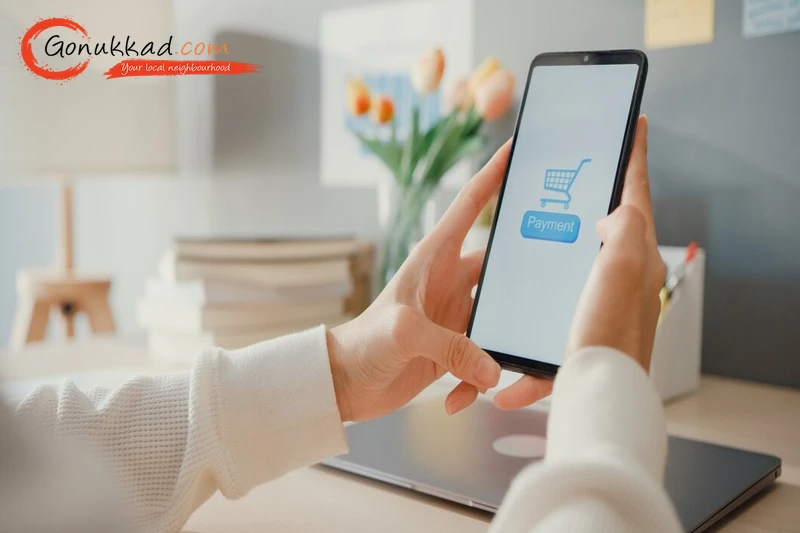
If you're a small business owner, you know it's not possible to sit in front of a computer all day to check orders. In 2026, Flipkart is the biggest online market in India, holding closer to 50% to 60% of the total market space. Millions of customers buy items from it every single day. To help small local business owners, they made an easy Flipkart Seller App to bring your whole business inside your pocket.
How to Manage Your Business Using the Flipkart Seller App
In this blog, we will show you exactly how to manage your business using the Flipkart Seller app and the Flipkart Seller Registration on the Flipkart Seller app with a step-by-step process. Plus, how you can simplify your selling with Gonukkad’s all-in-one Flipkart account management service.
Key Takeaways
- A seller can manage listings, check their stock levels, and accept daily customer orders directly from their mobile screen.
- Flipkart Seller Registration is completely online, free, and takes less than 10 minutes if your business papers are ready.
- The app tells you about sales instantly, which helps you avoid running out of items and tracks every single rupee carefully.
- Start simple ad campaigns from your phone to show your products to more buyers during festive sales.
- Reach out to customer care quickly if items get lost, or partner with experts like Gonukkad to manage your online store perfectly.
Related: How to Manage Flipkart Seller Account Professionally
To register your business on Flipkart, download the Flipkart seller app from your device's app store or visit the Flipkart Seller Hub. You will need your GSTIN, PAN card, and Bank Account Details to complete the free 10-minute setup.
Flipkart's Seller Registration helps small businesses start selling online easily, with no complicated paperwork.
Step-by-Step Flipkart Seller Registration Process
- Download and Sign Up
Download the Flipkart seller app from your mobile app store. Enter your mobile number with the verification code (OTP) you receive on your screen.
- Enter Business Identity Details
Type in your 15-digit GSTIN number and your business PAN card details. The system checks them instantly with government records to make your Flipkart Seller Account safe.
- Set Up Store & Pickup Address
Type a name for your online shop. Enter your exact area PIN code and full address so the delivery boy knows where to come to collect your items.
- Link Bank Details
Fill in your bank account number and the IFSC code correctly. Flipkart will send one rupee to test your account so your weekly sales money arrives safely.
- Create Your First Listing
Upload photos of your product, add a simple price, write what it is, and enter your stock count to open your online shop for customers.
“If you think the registration or document upload part is a bit tricky, let Gonukkad take care of your entire Flipkart Seller Registration and account setup. So you won't have to worry about any form being rejected.”
What are the Key Features of the Flipkart Seller App
The Flipkart Seller Hub app allows sellers to manage their online businesses on the go. It acts as a flexible seller hub designed to simplify daily system challenges.
- Quick Onboarding: Enter your shop details and tax papers directly using your mobile phone without any manual stress.
- Listing Management: Take a clear photo of any new item, type the price, and upload it online within minutes.
- Order & Inventory Control: Get a notification directly on your mobile phone whenever a customer buys an item, and check exactly where the parcel is.
- Marketing & Ads: See how much money your product ads are making and increase budgets easily to get more customer orders.
- Dedicated Support: Open a help chat inside the app if any payment is pending or if a customer returns a broken or wrong product.
Related: Flipkart Advantage vs Self-Ship: Best Fulfillment Model
How to Run Your Flipkart Business on the App
Let’s take a look at the everyday tasks that help keep your online business successful and profitable.
1. Listing and Inventory Management 374483065731
If a customer orders an item that is out of stock, your seller rating drops significantly, hurting your organic store visibility.
- Add Listings: Open the product section, select your item type, and upload high-resolution photos. A successful Flipkart Product Listing needs a simple name and clear details so Indian customers find it quickly.
- Inventory Control: Good Flipkart Inventory Management means updating your stock counts daily. If you run out of an item, turn it off inside the app with one click so you don't get penalties.
2. Order Fulfillment and Shipping
Once your products are live, you need to process incoming purchases efficiently to maintain a great seller score.
- Process Orders: When someone buys your item, it shows up on your live Flipkart Seller Dashboard. Click on it, download the packaging label, pack the item nicely, and click "Ready for Dispatch".
- Logistics: Flipkart's delivery partner will automatically come to your shop based on your updates. The app shows you the exact day and time the pickup boy will arrive.
3. Business Insights and Growth
You cannot grow your business if you don't keep an eye on your performance metrics. The Flipkart seller app turns complicated sales charts into easy-to-understand information.
- Analytics: Your mobile Flipkart Seller Dashboard shows your everyday total sales earnings, how many pieces you sold, and how many items customers sent back.
- Advertising: Use built-in Flipkart Seller Tools to run small paid promotions. It helps push your products to the top spot when people search for items during festive seasons.
4. Payments and Support
Managing cash flow is quite important for any small business, especially when dealing with online marketplaces.
- Payment Reconciliation: Check exactly how much money is sent to your bank, along with cut-offs for delivery charges and marketplace fees, so you know your true profit.
- Seller Support: If a parcel gets lost on the way or a customer returns a used or dirty item, upload a photo and complain inside the app to get your money back.
Related: Why Your Flipkart Listings Are Getting Views but No Sales (Real Fixes)
Conclusion
Managing an online business is hassle-free when you do it directly from your smartphone. The Flipkart mobile app helps you track stock levels, pack daily orders, and view profits while staying inside your regular shop.
If handling online business, product photos, and customer advertisements feels hard, Gonukkad can do everything for you. Their team handles your Flipkart Seller Account setup, daily product listings, search optimization, and ad management.
Q. Can I run a Flipkart seller business without a GST number?
A. No, a GSTIN number is compulsory under Indian law to sell products online, except if you are selling only printed reading books.
Q. How long does it take for my products to go live on the app?
A. After you submit your Flipkart Product Listing, the team takes 24 to 48 hours to check it before making it live for buyers.
Q. What happens if a customer returns a damaged product?
A. Go to the returns tab inside the mobile app, fill out the Seller Protection Fund (SPF) form, and upload photos to get your money back.
Q. Can I manage multiple product brands using a single seller account?
A. Yes, you can sell multiple different brands under your single online store account if you have the proper brand permission letters.
Q. How often does Flipkart transfer my sales earnings to my bank account?
A. Your sales money is automatically sent directly to your linked bank account within 7 to 15 days after the item reaches the customer safely.
Supercharge your Business:
Go from surviving to tdriving!
Amplify sales witd our expert account management. Unleash your true potential now!
Call Us