ChatGPT
 Perplexity
 Claude
 Google AI
 Grok
Grok
Summarize this article with an AI assistant.
How to Remove Bad Reviews From Google My Business
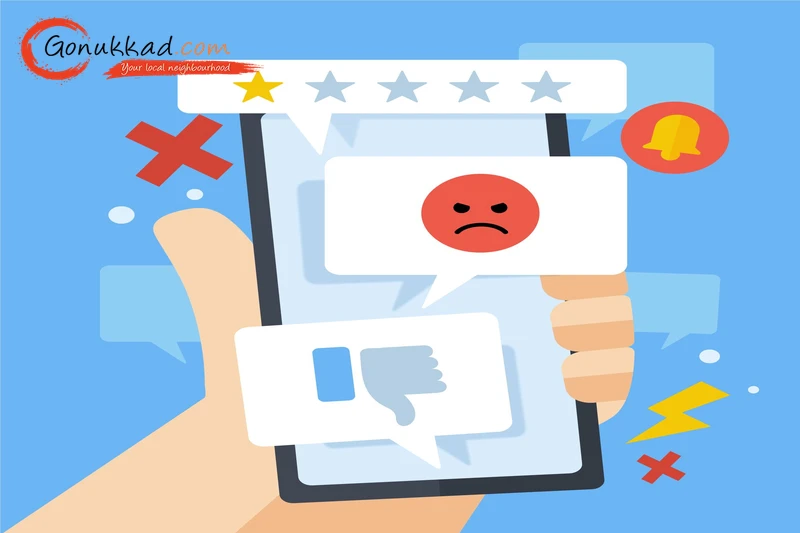
Running a small shop or local business in India is already a lot of hard work. You do not need someone ruining your good name online. In 2026, over 93% of Indian shoppers read Google reviews before visiting a local store. Just one single bad rating can slash your daily customer calls by nearly 30%. It feels terrible, but you do not need to panic.
How to Remove Bad Reviews From Google My Business
In this blog, we will show you exactly how to remove bad reviews from Google, what actually works, and how to protect your online brand. Plus, if you want expert help, Gonukkad offers GMB optimization & review management services to ensure you can get more customer calls, store visits, and bookings easily.
Key Takeaways
- It is not allowed to delete a bad Google review, and you must take it down based on clear policy violations.
- Google only allows Google Review Removal if the text breaks their strict content rules.
- How you respond to a bad review matters a lot because hundreds of future customers will read your response.
- Using a professional Review Management service like Gonukkad keeps your business profile clean while boosting your rank on Google Maps.
- Even if Google's automated filters check a review and find nothing wrong at first glance, you can still submit a manual appeal.
How Negative Reviews Impact Your GMB Profile
Google's search algorithm loves local businesses that maintain high star ratings and active customer feedback. When a customer leaves a bad review or an unfair 1-star rating on your business page, your total average star rating drops right away.
If your overall score falls below a 4.0-star rating, the algorithm flags your profile as less reliable. It means Google starts hiding your shop from the top local search results on mobile devices.
Fewer eyes on your local listing means you get fewer calls, fewer clicks, and fewer real customers walking into your store. A string of bad ratings makes your small business completely invisible to your local area.
Related: Google Business Profile Setup: Steps To Rank Higher
Can You Actually Remove Google Reviews
You cannot just delete a comment because a customer complained that your food was cold or your delivery was late. Google only allows Google Review Removal if the text breaks their strict content rules, like using bad words, posting fake stories from competitors, or harassing your staff.
Which Reviews Can Be Taken Down
To make things easy to understand, below is a comparison table. It shows you exactly which types of feedback qualify for official removal and which ones Google will force you to keep on your business listing.
| Reviews Google Will Remove | Reviews Google Will Not Remove |
|---|---|
| Fake Google Reviews written by competitors to hurt your business. | A real customer complaining about a slow service. |
| Comments that use abusive language, slurs, or threats. | A customer saying your prices are too high for them. |
| Reviews left by an angry ex-employee trying to get revenge. | A genuine complaint about rude staff behavior. |
| Spam posts advertising a completely different shop or product. | A low 2-star rating left with no text or explanation. |
| Multiple identical negative ratings from the same user account. | A customer sharing an honest but bad experience. |
| A review meant for a different shop by mistake. | Honest feedback criticizing a broken or damaged item. |
| Content containing illegal web links, malware, or promos. | An unhappy opinion on your store parking or layout. |
| Reviews offering money or discounts to change the score. | A disagreement over a store refund or return policy. |
Related: How to Get Traffic on an Inactive Google My Business Profile
How to Remove Fake Reviews From Google My Business
Fake reviews can harm your business reputation and mislead potential customers. It's essential to address these issues promptly. But you cannot just remove any bad review from your GMB profile. However, if the review on your profile clearly breaks Google’s rules, such as obvious promotional spam, accounts using fake names, or foul language, you can take action to clear your name.
Follow the steps below to remove a fake review:
- Log in to your Google Business Profile dashboard using your business email.
- Go to your Reviews tab, browse through the list to find the bad comment, click the three little vertical dots on the side of that specific review, and select Report review.
- A small menu will pop up on your screen asking for context.
- Select the official category that best fits the policy violation, such as "Spam," "Conflict of interest," or "Harassment." Make sure to choose accurately so the automated system understands the issue.
After that, do not just sit around and hope for the best after flagging it.
Go directly to the official Google Reviews Management Tool online. This dashboard lets you:
- Check the live status of your reported comments.
- Share clear digital proof with the support team.
- Submit a formal appeal if Google's automated system rejects your first request.
Related: Why Is My Service Area Business Not Showing Up On Google?
Conclusion
Handling negative reviews is a common challenge for businesses, but it doesn't have to affect your hard work. To protect your brand, learn to identify policy violations, quickly report fake reviews, and always respond professionally. To reduce your stress, think about using Gonukkad services. They offer local marketing services that help businesses appear on Google Maps, increase calls, and manage reviews effectively.
Q. Can I pay a bad review removal service to delete comments instantly?
A. Legitimate agencies can only legally remove reviews by reporting actual policy violations to Google. So, be careful of scams that claim they can delete reviews instantly for money.
Q. How do I report fake Google reviews left by a competitor?
A. Flag the review for a "Conflict of Interest" through your dashboard, then use the Google Reviews Management Tool to submit proof that the reviewer is a competitor.
Q. How to delete Google reviews if I wrote them by mistake?
A. Open Google Maps, tap your profile picture, go to "Contributions," find your review, click options, and hit delete to remove it instantly.
Q. Will changing my business name get rid of bad reviews?
A. No, changing your business name or address will not wipe your history because the old reviews stay on your GMB profile.
Q. How long does Google take to process a Google review removal request?
A. It usually takes anywhere from 24 hours to a full week for Google's moderation team to review and process a flagged comment.
Supercharge your Business:
Go from surviving to tdriving!
Amplify sales witd our expert account management. Unleash your true potential now!
Call Us