ChatGPT
 Perplexity
 Claude
 Google AI
 Grok
Grok
Summarize this article with an AI assistant.
Why My Google Business Profile Is Not Ranking
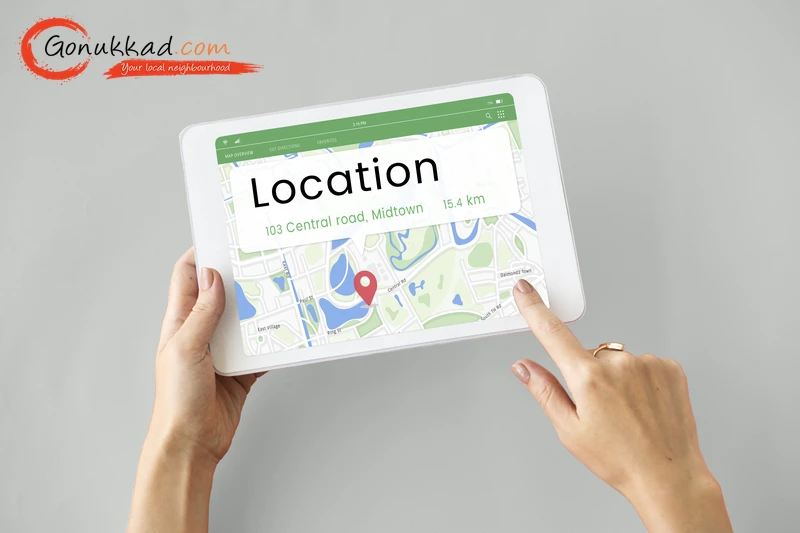
If you’ve noticed that your Google Business Profile is not ranking well, you’re not alone. Many small businesses struggle to achieve online visibility in local search results. Understanding why your Google Business Profile is not ranking can help you make the necessary improvements. By optimizing your profile and following best practices, you can rank higher on local search results and attract more local customers.
In this blog, we will discuss the top 8 reasons why your Google Business Profile is not ranking and how to fix it with clear steps. For instant stress free results, let Gonukkad's experts handle your GMB optimization and local SEO.
Key Takeaways
- Fully optimized business profiles get 7 times more customer clicks instantly.
- Incorrect phone numbers or addresses across different websites will ruin your rank.
- Distance is a heavy factor, but strong location authority can help you beat closer competitors.
- Google’s 2026 systems read your customer reviews to find hidden search keywords.
- Regular profile updates prevent your page from getting hidden or suspended by Google.
Why Is Google Business Profile Important for Local SEO
Google My Business Profile is your digital signboard. When a customer nearby searches for your service, Google scans local data to pick the top choices. If you want to improve Google Business Profile ranking signals, you must give Google clean and correct details. Your GMB profile is important for your local pack ranking because it directly impacts how many daily calls, map directions, and customer visits your shop gets.
8 Common Reasons Why Your Google Business Profile is Not Ranking
1. Incomplete or Inaccurate Profile Information
Leaving spaces blank on your GMB profile impacts your visibility. Google's 2026 updates prefer profiles that fill out every single detail. If you skip your working hours or service lists, Google will not trust your business enough to show it online.
How to Fix It:
- Fill out every single empty box in your profile dashboard.
- Pick a main business category that matches your actual shop perfectly.
- Add 3 to 5 extra sub-categories to show everything you do.
- Change your shop hours immediately during holidays or festivals.
- Write an easy-to-read business description about your main local services.
2. Keyword Relevance is Missing
If you don't use the exact words customers type, you will struggle with your Google Business Profile not ranking properly. Google looks for matching words to connect your shop to local searches.
How to Fix It:
- Put your main service words naturally into your profile description.
- List out every single item you sell in your Services section.
- Use the Products tab to display photos of items along with prices.
- Do not add keywords into your legal shop name, or you will get banned.
3. Weak Location Authority
Google's local search system focuses on how close businesses are and how trustworthy they seem. If your business isn't listed in local directories or doesn’t have links from local websites, it won't show up well in search results, especially if people are searching from locations far away.
How to Fix It:
- Put a clear Google Map right on your website's contact page.
- Type local area names and landmark words into your website text.
- Get your shop mentioned on local area blogs or online news pages.
- Use targeted local ads to build fast popularity in specific pin codes.
- Ensure the address listed at the bottom of your website matches your map address perfectly.
4. You’re in a Competitive Market Without Differentiation
In crowded markets like dental services, real estate, or HVAC, just having a business listing won’t cut it. If you don’t show clear value, stay active, and engage with customers, your listing will get lost among the competition.
How to Fix It:
- Upload bright, clean photos of your shop's inside and outside every week.
- Add short 15-second video clips showing your products or happy customers.
- Answer your own common customer questions using the built-in Q&A tool.
- Mark special features like "air-conditioned" or "parking available."
- Post daily deals or updates directly to your business feed.
- Let Gonukkad handle a professional video or photo shoot of your store to beat your competitors' blurry phone photos instantly.
5. Reviews Are Low or Unmanaged
Your customer reviews tell Google if you are reliable. If you have zero reviews or never reply to them, your profile ranking drops due to common local SEO issues.
How to Fix It:
- Send your direct review link to happy buyers over WhatsApp.
- Reply politely to every review, whether it is 5 stars or 1 star.
- Never buy fake reviews because Google's smart filters delete them instantly.
- Solve customer complaints nicely and ask them to update their rating.
- Try to get reviews steadily throughout the month instead of all in one day.
6. You’re Not Updating Your Profile Regularly
If your Google Business Profile hasn't been updated for a long time, it might start to look overlooked to both customers and Google. Inactive or old profiles receive less attention and visibility over time.
How to Fix It:
- Use Google Posts weekly to share discounts, festival greetings, or new stock updates.
- Drop in a new behind-the-scenes picture of your daily work every week.
- Change your product prices on the app the moment they change in store.
- Check your profile performance tab monthly to see how people find you.
- Keep your Google Maps SEO fresh by changing details for summer or winter seasons.
7. You’re Not Using All Available GBP Features
Many shop owners add a phone number and quit. By skipping advanced Google Business Profile optimization tools, you miss out on free customer calls and interactions that boost rankings.
How to Fix It:
- Turn on the chat messaging button so customers can text your shop directly.
- Write a quick auto-reply message for anyone who texts you late at night.
- Put a booking or appointment link if you run a salon, clinic, or service agency.
- List out your full food menu with prices if you run a restaurant or cafe.
- Open your app monthly to check for newly launched features from Google.
8. Your Profile Has Been Flagged or Suspended
Sometimes your profile isn't ranking because Google quietly hid or suspended it. Breaking Google's strict safety rules, even by mistake, removes you from search results instantly.
How to Fix It:
- Fix your profile name if you stuffed extra search words into it.
- Check your main dashboard for any bright red alert or suspension notices.
- Do not use a fake virtual address or a random P.O. Box for your shop location.
- Delete any extra duplicate GMB listings you made for the same shop.
- Send a clean help request to Google along with a real electricity bill or rent agreement.
How to Show Up on Google Local Search in 2026
- Create Hyper-Local Content on Your Website
Write simple updates on your website about local neighborhood events or area guides. It indicates to search engines that your website belongs to that exact pin code.
- Use Geo-Tagged Images
Keep your phone's location settings turned on when taking shop photos. Uploading these images gives Google hard proof that you are operating right where you say you are.
- Build Citations with NAP Consistency
Keep your shop Name, Address, and Phone number (NAP) the same on Facebook, Justdial, and Sulekha. Mixed-up details confuse Google and lower your local pack ranking.
- Encourage Keyword-Rich Reviews
Ask customers to type the name of the service they bought in their review. Reviews saying "best catering service in Delhi" hit massive GBP ranking factors that lift your rank.
- Add Schema Markup
Ask a web developer to add simple local business code to your website. It serves as a direct translator, helping Google match your website to your map listing perfectly.
Conclusion
Ranking on Google Maps requires complete info, clean customer reviews, and weekly profile updates. If managing all these GBP ranking factors takes too much time while running your busy store, Gonukkad can handle it all for you. We provide complete local SEO, review handling, local ads, and professional video shoots to bring more calls, map directions, and bookings to your shop. Let's get your business noticed today with Gonukkad's help.
Q. How long does it take to fix my map ranking?
A. Basic profile updates often show minor visibility changes in 2 to 4 weeks, but to rank in the Local Pack typically requires 2 to 4 months of consistent optimization.
Q. Can I put extra keywords in my shop name to rank faster?
A. No, putting extra keywords in your business name breaks Google's guidelines and will get your Google My Business profile suspended.
Q. Why did my business page suddenly get removed from Google Maps?
A. Google likely hid it because of a policy issue, a suspicious edit, or a needed security check.
Q. Do paid Google Ads help my normal map rank go up?
A. Ads do not change your organic Map ranking directly, but they bring clicks, which helps your business's online visibility and drives sales.
Q. Can I get a map ranking if I don't have a physical shop?
A. Yes, you can set up a "Service Area Business" profile to hide your home address while choosing target neighborhoods.
Supercharge your Business:
Go from surviving to tdriving!
Amplify sales witd our expert account management. Unleash your true potential now!
Call Us