 ChatGPT
 Perplexity
 Claude
 Google AI
 Grok
Grok
Summarize this article with an AI assistant.
What Is An Amazon FNSKU Barcode & How to Create One
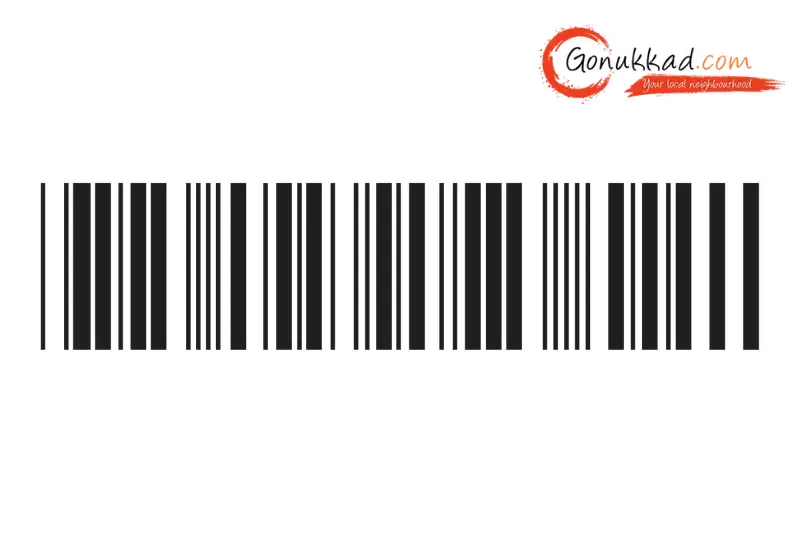
If you are a seller in India looking to tap into the massive potential of Amazon FBA, you’ve probably heard of Amazon FNSKU Barcode. Whether you are selling organic spices from Kerala or handmade electronics from Bengaluru, this barcode is the Aadhaar Card of your product in the Amazon warehouse.
In this blog, we'll discuss what an Amazon FNSKU Barcode is, how to create one, and the difference between FNSKU and UPC Barcodes. Plus, how Gonukkad's end-to-end ecomemrce account management helps you drive sales.
Key Takeaways
- It is the only way Amazon knows a product belongs to your specific shop rather than a competitor's.
- It prevents commingling, ensuring your high-quality stock isn't swapped with someone else's lower-quality items.
- You can get your FNSKU barcode generator tools right inside your Seller Central dashboard.
- If you plan to sell grocery items, Amazon India requires FNSKUs to track expiry dates accurately.
- Correct labelling prevents unplanned prep fees, which can eat into 5–10% of your profit margins if Amazon has to fix your mistakes.
What Is An Amazon FNSKU Barcode
The Amazon FNSKU Barcode (Fulfilment Network Stock Keeping Unit) is a 10-digit alphanumeric code used by Amazon to identify a product and its seller. While a standard UPC (Universal Product Code) identifies the product type, the FNSKU identifies your specific product.
In a warehouse holding millions of items, Amazon needs to know exactly which shelf each item is on. If five different sellers are selling the same brand of pressure cooker, the FNSKU ensures that when a customer buys from your store. Amazon staff pick the exact box you sent, not a random one from another seller. It is important for maintaining your "Seller Feedback" rating.
Why Is The FNSKU So Important?
- Inventory Separation: It stops your inventory from being mixed with commingled stock, protecting you from counterfeit items.
- Tracking & Recalls: If there is a quality issue, Amazon can trace the faulty batch back to the exact shipment you sent.
- Accurate Payments: It ensures you get paid for the exact unit sold from your inventory.
- Brand Protection: For those using Gonukkad for brand optimization, the FNSKU is the first line of defence in keeping your brand's reputation clean.
- Compliance: Amazon’s updated policies now make unique labelling almost mandatory for any category involving health, beauty, or food to ensure consumer safety.
Amazon FNSKU vs UPC Barcode: What's the Difference
| Feature | Manufacturer Barcode (UPC/EAN) | Amazon FNSKU Barcode |
|---|---|---|
| Primary Purpose | Global retail identification. | Internal Amazon warehouse tracking. |
| Who Owns It? | Assigned to the product by the brand. | Assigned to the seller by Amazon. |
| Storage Style | Items are mixed. | Items are separated. |
| Cost in India | Requires GS1 registration fees. | Completely Free for sellers. |
| Required For | Creating the initial product listing. | Sending stock to FBA warehouses. |
Is Using Amazon FNSKU Mandatory
For most Indian sellers, yes, Amazon has moved away from Manufacturer Barcode tracking for most categories. If you are selling consumables products like groceries, baby products, and topicals, an FNSKU is non-negotiable.
Even for electronics, experts at Gonukkad recommend using an FNSKU to prevent inventory discrepancies. If you send items without it, Amazon may charge you a labelling fee of roughly ₹10 to ₹25 per unit to fix it themselves.
How To Get The FNSKU Barcode
You don't need a PhD to figure out how to get the FNSKU barcode. Just follow these simple steps in your Seller Central:
- Set Your Preference: Go to Settings, then Fulfilment by Amazon, select FBA Product Barcode Preference, and ensure it is set to Amazon Barcode.
- Add Your Product: List your product on Amazon. Once the listing is active, it will automatically be assigned an FNSKU.
- Find the Code: Go to Inventory, then click Manage Inventory.
- Print Labels: Find your product, click the Edit drop-down menu on the right, and select Print Item Labels.
- Select Quantity: Enter the number of labels you need, then click Confirm. It acts as your official FNSKU barcode generator.
Related Post:
1. A Step-by-Step Guide to Creating Amazon Product Barcode
2. How To Create SKU Numbers for Your Inventory: Step By Step Follow
3. What is Stock Keeping Unit (SKU) in Ecommerce
4. Unlocking the Power of Barcode on Myntra Product: A Comprehensive Guide
How To Label Your Products with an FNSKU Barcode on Amazon
Proper labelling is where many Indian small shopkeepers get stuck. Here is the right way to do it:
Step 1: Use a thermal printer (Zebra or TSC) or a high-quality laser printer. Inkjet printers are risky because if the ink gets wet or smudges during the monsoon, the barcode won't scan.
Step 2: Place your FNSKU sticker directly over the original manufacturer’s barcode. There should only be one visible barcode on the product.
Step 3: Stick it on a smooth, flat surface. Never place it over a curve, a seal, or a corner where it might get folded.
Step 4: Ensure the Product Name and Condition printed on the label match your item exactly.
Step 5: If your product is in a polybag, the barcode must be on the outside of the bag so it can be scanned without opening the package.
Conclusion
Managing your Amazon FNSKU Barcode is a fundamental part of running a professional online business. It ensures your stock is safe, your customers are happy, and your account stays in good standing with Amazon’s strict warehouse rules.
If you are looking to expand your existing business into grocery or electronics, Gonukkad is here to help. We provide a complete Amazon ecommerce account management, listing optimisation, and ad campaign management.
Also Read Top Latest Posts:
1. Business Growth Consulting For Startups & SMEs: Complete Guide in
2. 50 Best Bakery Name Ideas in India for New Bakery Businesses
3. Proven Ecommerce Growth Strategies – From Launch to 100 Orders/Day
4. Top 10 Ecommerce Performance Optimization Tips
5. How Gonukkad’s Ecommerce Product Listing Services Help Store Owners
Q. Does every single unit need an FNSKU?
A. Yes, if you are sending 100 bottles of shampoo, every single bottle must have its own FNSKU sticker.
Q. Can I print the FNSKU directly on my box design?
A. Yes, it is called pre-printing, and many sellers do this to save time on manual stickering. Just ensure the size is exactly as per Amazon’s guidelines.
Q. What if I am selling a used book?
A. Amazon FNSKUs are even more important for used items, as they help distinguish the specific Condition of your copy from others.
Q. How much does an FNSKU cost?
A. The code itself is free, and your only costs are the sticker paper and the ink/ribbon used for printing.
Q. What is the standard label size?
A. Most sellers use the 40-up labels (1" x 2 5/8" on US Letter) or standard thermal labels (usually 50mm x 25mm in India).
Supercharge your Business:
Go from surviving to tdriving!
Amplify sales witd our expert account management. Unleash your true potential now!
Call Us







