ChatGPT
 Perplexity
 Claude
 Google AI
 Grok
Grok
Summarize this article with an AI assistant.
Flipkart Seller Login: The Complete Guide in 2026

This comprehensive guide on Flipkart Seller Login outlines the step-by-step registration process, navigation of the seller dashboard, and essential features for managing your online business. It emphasizes the importance of optimizing product listings and utilizing Flipkart's support resources to enhance visibility and drive sales success in the e-commerce landscape.
Key Takeaway:
- Accurate registration is essential for accessing the .
- The user-friendly dashboard enables efficient order and inventory management.
- Flipkart offers robust customer support options for sellers' assistance.
- High-quality listings with relevant keywords enhance product visibility.
- Regularly monitoring performance metrics helps refine sales strategies.
In the rapidly evolving world of e-commerce, Flipkart stands out as one of India's leading online marketplaces. For businesses looking to expand their reach, becoming a seller on Flipkart can be a game-changer. In this guide, we will walk you through everything you need to know about the Flipkart seller login process in 2026. Whether you're a seasoned seller or just starting, this guide has got you covered.
Step-by-Step Guide to Flipkart Seller Login
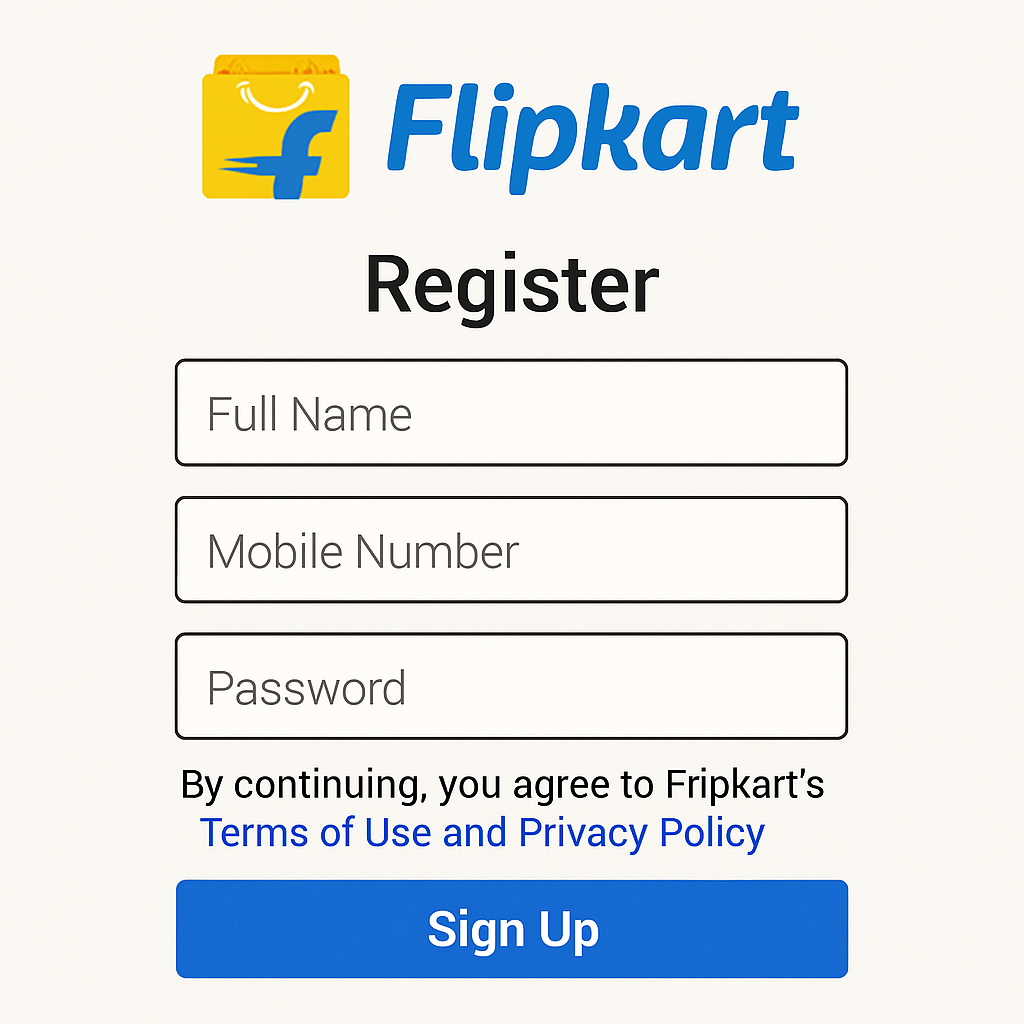
Before you can log in to the Flipkart seller dashboard, you need to complete the registration process. Here's a step-by-step guide:
Step 1: Visit the Flipkart Seller Hub
Head over to the Flipkart Seller Hub website. You'll find a button labeled "Start Selling" or "Register Now." Click on it to begin the registration process.
Visiting the Flipkart Seller Hub is your first step into a world of e-commerce opportunities. The website is designed to be user-friendly, ensuring that even those new to online selling can navigate it with ease. The "Start Selling" button is prominently displayed to guide you towards the registration process. This initial step is crucial as it marks the beginning of your journey to becoming a successful Flipkart seller.
Step 2: Provide Basic Information
You'll need to fill out a form with your basic details, including your name, business name, email address, and phone number. Flipkart will use this information to create your seller account.
Providing basic information is a straightforward yet essential step. It serves as the foundation for your seller profile on Flipkart. Ensure that all details are accurate to avoid any discrepancies later. Your email and phone number are vital, as they will be your primary means of communication with Flipkart. Double-check these details before submitting the form to ensure there are no errors.
Step 3: Verify Your Email and Phone Number
After submitting your basic information, Flipkart will send verification codes to your email and phone. Enter these codes on the website to verify your contact details.
Verification is a critical step in securing your account. By confirming your email and phone number, Flipkart ensures that you are the legitimate owner of the provided details. This step protects your account from unauthorized access. Make sure to check your spam or junk folder if you do not receive the verification email promptly. Once verified, you are one step closer to accessing the seller dashboard.
Step 4: Complete Business Details
In this step, you'll need to provide more detailed information about your business. This includes your business type (individual, partnership, or company), GST number, and bank account details for transactions.
The business details you provide are integral to how Flipkart manages your transactions. Your GST number is particularly important for compliance with Indian tax regulations. Accurate bank account details ensure that your payments are processed smoothly. Consider consulting with a financial advisor if you are unsure about any details. Providing comprehensive and accurate information here can save you from potential issues in the future.
Step 5: Upload Required Documents
To complete your registration, you'll need to upload certain documents. These may include your GST certificate, PAN card, and a canceled cheque. Ensure that all documents are clear and legible.
Uploading documents is a step that requires careful attention to detail. Clear and legible documents expedite the approval process. Scan your documents in high resolution to avoid any issues with readability. Familiarize yourself with Flipkart's document requirements to ensure you submit everything correctly. This step is vital in legitimizing your seller account and paving the way for successful sales on the platform.
Step 6: Wait for Approval
Once your documents are submitted, Flipkart will review your application. This process can take a few days. Once approved, you'll receive an email confirmation.
Approval is the final step in the registration process. While waiting, you can begin planning your product listings and marketing strategies. Use this time to familiarize yourself with Flipkart's seller policies and guidelines. Once you receive the email confirmation, you are officially a Flipkart seller and can start listing your products. Being prepared can help you hit the ground running once your account is active.
Navigating the Flipkart Seller Dashboard
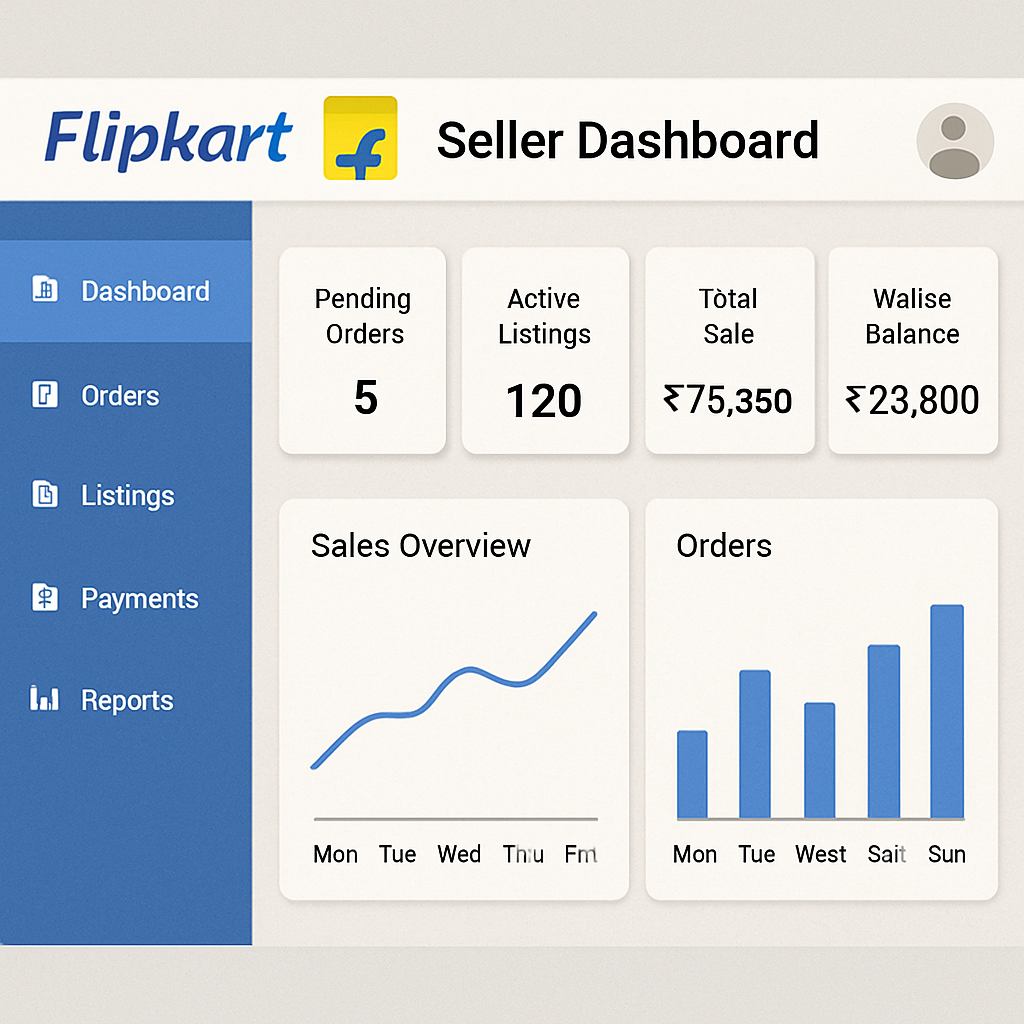
Once your account is approved, you can access the Flipkart Seller Dashboard. Here's how to log in and navigate the dashboard:
Flipkart Seller Dashboard Login
- Visit the Flipkart Seller Hub: Go to the Flipkart Seller Hub website.
- Click on Login: Find the "Login" button on the homepage and click it.
- Enter Your Credentials: Use the email and password you set up during Flipkart registration to log in.
- Access Your Dashboard: After logging in, you'll be directed to your seller dashboard.
Logging into the Flipkart Seller Dashboard is your gateway to managing your online business. The login process is designed to be quick and straightforward, ensuring you can access your account without hassle. Remember to keep your login credentials secure to prevent unauthorized access. Once logged in, you can explore the various tools and features available to enhance your selling experience.
Features of the Flipkart Seller Dashboard
The dashboard is your control center for managing your Flipkart business. Here are some key features:
- Order Management: View and manage your orders easily. You can track shipments and update order statuses.
Order management is crucial for maintaining a smooth operation. The dashboard provides an intuitive interface for viewing incoming orders, tracking shipments, and updating order statuses. Efficient order management leads to timely deliveries and satisfied customers. Regularly check your order updates to ensure everything is on track and address any potential issues promptly.
- Inventory Management: Keep track of your stock levels and update product listings.
Inventory management helps you stay on top of your stock levels. The dashboard allows you to update product listings and ensure availability. Keeping your inventory updated prevents overselling and stockouts. Use the inventory tools to forecast demand and manage your supply chain effectively.
- Payments: Monitoring payments is vital for financial management. The dashboard provides a comprehensive view of your transaction history, allowing you to track payments and reconcile accounts. Stay informed about payment schedules and transaction fees. Regular monitoring helps identify any discrepancies early and keeps your business's financial health in check.
- Performance Analytics: Access reports on your sales performance, customer feedback, and more.
Performance analytics offer insights into your business's success. Use these reports to understand sales trends, customer feedback, and areas for improvement. Analytics help you make informed decisions about pricing, marketing, and product offerings. Regularly review these metrics to adapt your strategies and enhance your business performance.
- Promotions and Ads: Create and manage promotional campaigns to boost your sales.
Promotions and ads are powerful tools for increasing sales. The dashboard allows you to create targeted campaigns and track their effectiveness. Use promotional tools to reach new customers and incentivize repeat purchases. Experiment with different strategies and refine your approach based on campaign performance.
Flipkart Seller Support: Getting Help When You Need It

Even the most experienced sellers may need assistance from time to time. Flipkart offers robust support for its sellers:
Flipkart Seller Central Login Help
If you encounter issues logging in, Flipkart Seller Central provides resources to help you troubleshoot. Common issues include forgotten passwords and account lockouts.
Logging issues can be frustrating, but Flipkart Seller Central offers solutions. If you forget your password, use the "Forgot Password" feature to reset it securely. For account lockouts, follow the provided guidelines to regain access. Regularly update your password and enable two-factor authentication for added security. The resources available can help you resolve login issues swiftly.
Customer Support Channels
- Help Center: Access a wealth of information and FAQs on the Flipkart Seller Hub.
The Help Center is your first stop for resolving common issues. It provides detailed FAQs and step-by-step guides on various topics. Use the search function to find relevant articles quickly. Familiarize yourself with this resource to become a more self-sufficient seller.
- Email Support: Reach out to Flipkart's support team via email for specific issues.
Email support is ideal for non-urgent inquiries or detailed questions. Craft clear and concise messages to get effective assistance. Include relevant details and screenshots to help the support team understand your issue. Be patient, as response times may vary, but rest assured that your query will be addressed.
- Phone Support: Flipkart also offers phone support for urgent matters.
Phone support is available for pressing issues that require immediate attention. Keep your seller ID and account details handy when calling. Clearly explain your issue to the support representative for quicker resolution. Use phone support for emergencies that cannot wait for email responses.
Optimizing Your Flipkart Seller Account
To get the most out of your Flipkart seller account, consider these tips:
Enhance Your Product Listings
- Use High-Quality Images: Ensure your product images are clear and showcase your products effectively.
High-quality images are essential for attracting customers. They provide the first impression of your product and can significantly influence purchasing decisions. Use multiple angles and detailed shots to give a comprehensive view of your product. Investing in professional photography can pay off in increased sales.
- Write Detailed Descriptions: Provide comprehensive descriptions that highlight the features and benefits of your products.
Detailed descriptions are your opportunity to sell your product with words. Highlight unique features and benefits to persuade potential buyers. Use bullet points for easy readability and include specifications that customers might find valuable. A well-crafted description can differentiate your product from competitors.
- Include Keywords: Use relevant keywords to improve the visibility of your listings in search results.
Keywords improve your product's searchability on Flipkart. Conduct keyword research to identify terms your target audience uses. Integrate these keywords naturally into your product titles and descriptions. Monitor your rankings and adjust keywords as needed to maintain visibility.
Utilize Promotions and Discounts
Offering promotions can attract more customers and boost sales. Consider running special offers during peak shopping seasons.
Promotions and discounts are effective in driving sales volume. Plan your promotions around seasonal trends and shopping events. Use limited-time offers to create urgency and encourage quick purchases. Analyze past promotions to refine future strategies and maximize their impact.
Monitor and Improve Your Performance
Regularly check your performance metrics on the dashboard. Use the insights to make informed decisions and improve your sales strategy.
Monitoring performance metrics provides valuable insights into your business. Track key indicators such as sales volume, customer ratings, and return rates. Use this data to identify successful strategies and areas needing improvement. Continuously refine your approach to enhance your competitiveness in the marketplace.
Enhance Your Sales with Gonukkad's Flipkart Seller Services
To maximize your sales potential on Flipkart, consider partnering with Gonukkad. As a specialist in Flipkart Account Management Services, Gonukkad offers tailored solutions to optimize your seller account. Their expert team ensures efficient account management, effective promotional strategies, and in-depth performance analytics, allowing you to focus on growing your business. With Gonukkad, streamline your operations and elevate your e-commerce presence for greater success on Flipkart.
Conclusion
Becoming a seller on Flipkart opens up a world of opportunities to grow your business. By following the steps outlined in this guide, you can successfully navigate the Flipkart seller login process and make the most of the platform's features. Remember, the key to success on Flipkart lies in optimizing your listings, providing excellent customer service, and leveraging the tools available to you as a seller.
Embark on your e-commerce journey with Flipkart and watch your business thrive in the competitive online marketplace of 2026. By staying informed and proactive, you can maximize your potential and achieve your business goals on this dynamic platform.
Related Post:
Q. 1. How can I register as a seller on Flipkart?
A. To register as a seller on Flipkart, visit the Flipkart Seller Hub, click the "Start Selling" button, fill out the registration form with your basic information, verify your email and phone number, provide business details, upload required documents, and wait for approval.
Q. 2. What documents are required for Flipkart seller registration?
A. You'll need to provide a GST certificate, PAN card, bank account details, and a cancelled cheque during the registration process. Make sure all documents are clear and legible for a smooth approval.
Q. 3. How do I log in to my Flipkart seller account?
A. To log in, go to the Flipkart Seller Hub, click on the "Login" button, and enter your registered email and password. Ensure your credentials are correct to gain access to the seller dashboard.
Q. 4. What should I do if I can't access my Flipkart seller account?
A. If you're unable to access your account, check if you've entered the correct email and password. If you've forgotten your password, use the "Forgot Password" option to reset it. For further assistance, contact Flipkart seller support.
Q. 5. How can I optimize my product listings on Flipkart?
A. To optimize your product listings, use high-quality images, write detailed descriptions highlighting features and benefits, and incorporate relevant keywords naturally to improve visibility in search results.
Supercharge your Business:
Go from surviving to tdriving!
Amplify sales witd our expert account management. Unleash your true potential now!
Call Us